Wouter's Apple Macintosh page
Macintosh the first
![[Image] Mac Classic](mac5s.jpg)
|
I bought my first Apple Mac from Cash Converters for R200.
Before this, all of my Apple experience was with the Apple ][+,
and I didn't know squat about Macs. This one turned out
to be a bit of a mystery. The case is marked
Mac Classic II
(M4150,
CK2040HVD15), but the motherboard is the standard 68000 Classic
(M0420).
It came with 4MB RAM and a 40MB Quantum hard drive.
|
How to install a bigger hard drive in your Mac Classic
There are basically two issues here, namely
- How to get software from the Internet to the Mac, and
- How to format the hard drive.
The first is not too much of a problem, since the Mac Classic has a 1.44M floppy drive. Older macs used the
400 and 800k drives with Woz' special RLL encoding, which can't be accessed by anything except a Mac. You'd have to
"bounce" through a Mac that can read 1.44M
floppies and write 800k ones -- which would be an SE FDHD or newer.
OK, first things first. You need a system disk. System 6.0.8
is probably the best for a Classic Mac (the software/cdev brightness control was implemented in 6.0.6,
so earlier than this won't work).
I downloaded two files from
Apple, but these are no longer there. Fortunately archive.org
saved a copy,
SSW_6.0.8-1.4MB_Disk1of2.sea.bin and
SSW_6.0.8-1.4MB_Disk2of2.sea.bin.
Drag-and-dropping these files into Aladdin
Expander 5.1 (ALEX511.EXE) gives two .sea files, and repeating the process gives two
files with no extension and length 1 474 644.
I opened these files using
Cygnus Hex Editor
and chopped off the first $54 (decimal 84) bytes, save as .dsk
(1 474 560 bytes long). These .dsk files can be written to stiffy using
HFVExplorer 1.3.1 (hfvexplorer131.zip).
You can also use
VMac to manipulate files inside
the .dsk images before writing the .dsk to disk. Start with a
blank disk image and use
HFVExplorer (which is
a complete PITA to use -- navigate to your file(s), Edit/copy,
File/open volume, Edit/paste, then close HFVExplorer to close the disk image). You can then
use WinImage to write the .dsk to disk.
Formatting a new hard drive
You need third party software to format any non-Apple
hard drive. As far as I know, the following will all
work :
I used Lido 7 and it works well. If you open lido756.hqx with
HFVExplorer (copy it from your PC drive to one of the virtual
volumes), you will end up with a lido7.56.sea file. Double click
on this file in VMac (or I guess on a real Mac :-) to extract the
archive.
Memory
The Mac Classic has 1MB on the motherboard, and a space for
an expansion card with another 1MB soldered to it, as well
as space for two SIMMs.
My Classic came with 4MB of RAM installed. This is also the
maximum, the (stupid, IMO, but hey, hindsight is the
only exact science) reason being that the ROM is mapped
at $400000.
Macintoshes the second to fifth
2004-02-02: I bought four Macs for R300.
- Mac Plus M0001A 930512512MP (?)
- Mac Plus M0001A E915Q0BM5880
- Mac Plus 1Mb M0001A F834CX5M0001A
- Mac Classic M0420 SG0400CD11
The Mac Plus was sold with 256K of memory, but mine have
been upgraded to 1MB (4 SIMMs total).
More Macintoshes
2011-11-10: I was looking around for Macintoshes and found two more. No idea
where I got them from. They're just... here. Strange.
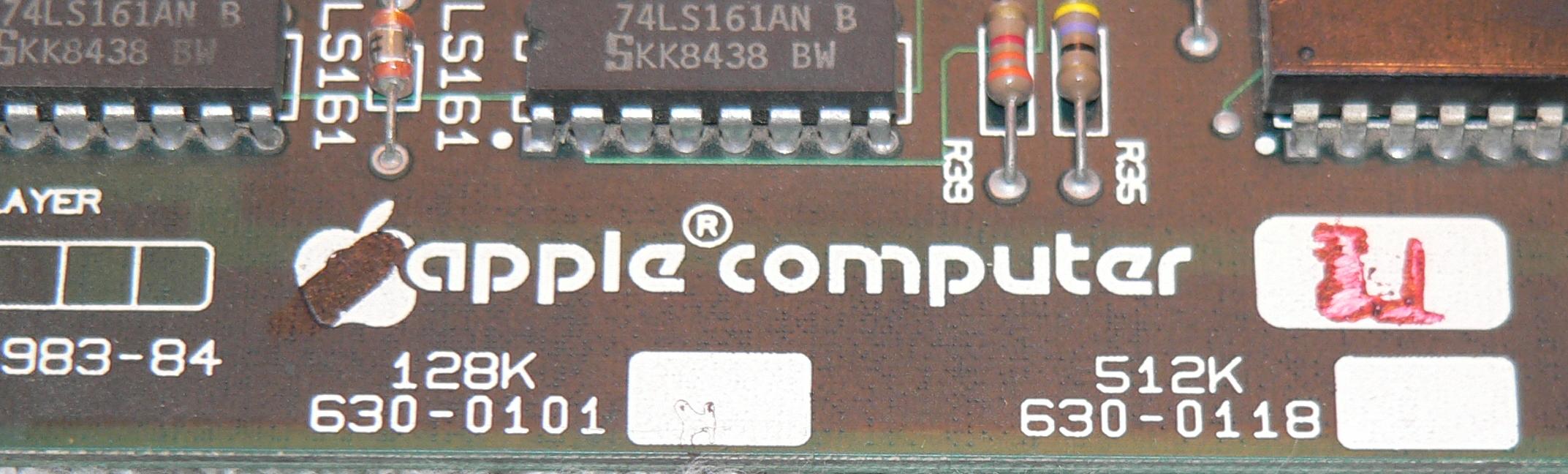
Anyway, the first is a Macintosh M0001P (128K, 220V), with jumpers for 128k or 512k on
the motherboard, which means it's the somewhat
later motherboard in the early style case.
Opening it up shows that someone's been here before
me, the floppy cable is missing,
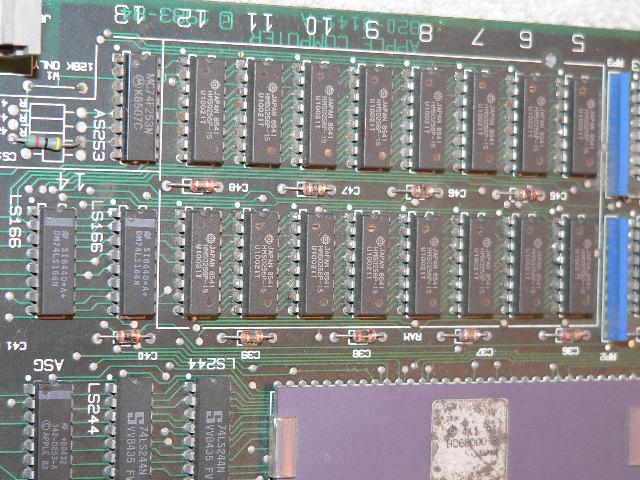
The RAM has been replaced with
256 kbit devices to give 512 kbyte instead of
128 kbyte, the
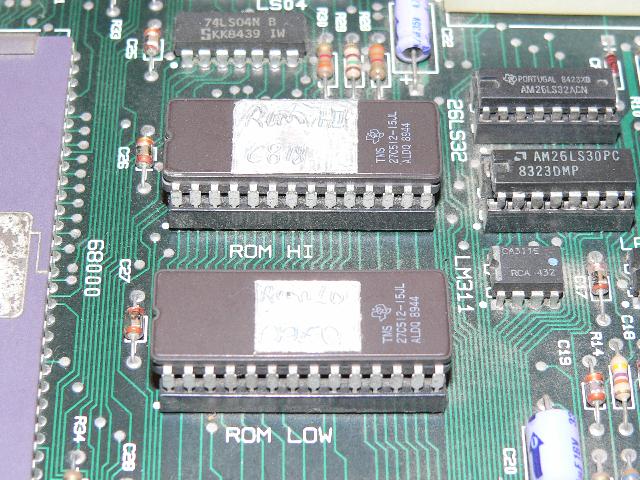
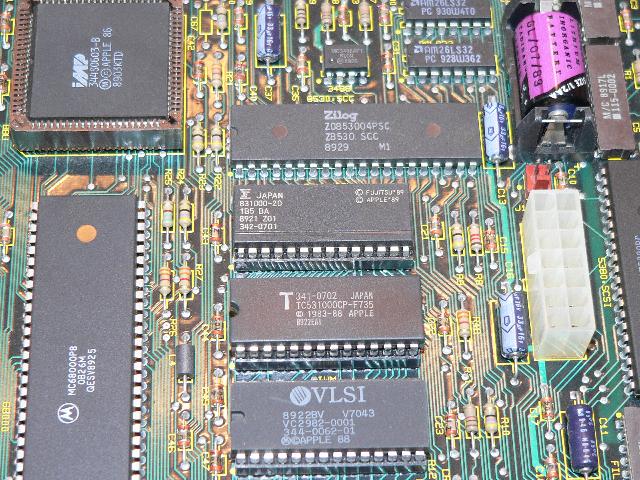
serial drivers and ROM
chips are in sockets,
and the ROMS are 27C512 EPROMS labelled "Rom Lo 0AE0" and "ROM HI C818" -- i.e.
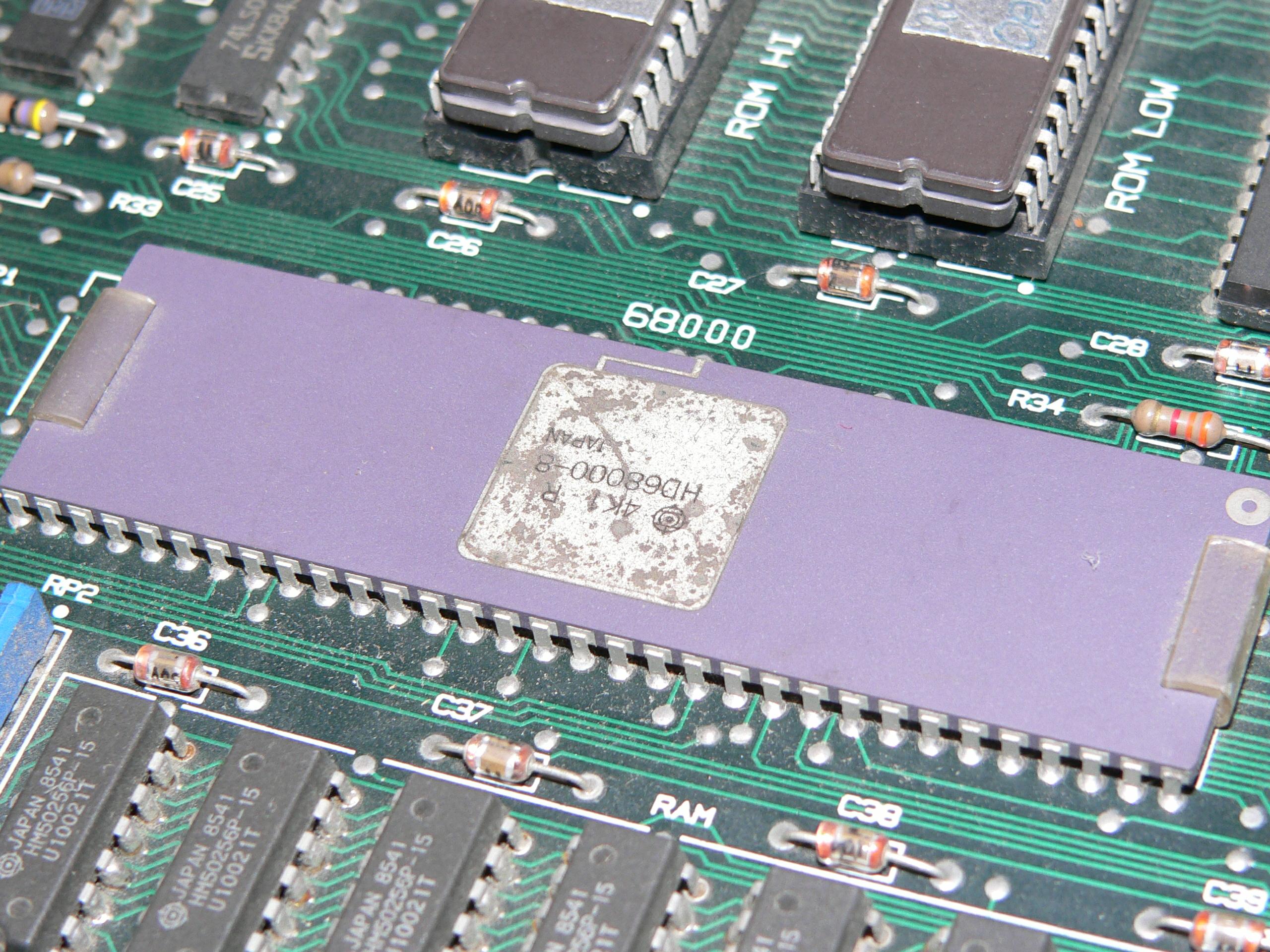
Mac Plus V1 (4D1EEEE1) ROMs This Mac has a
Hitachi 68000 processor.
The second is a Mac SE
"FDHD", except it's
fitted with two floppies, no hard drive, nothing in the
expansion slot, and 1 MByte of RAM. It also has
mismatched ROMS -- The high ROM and the low ROM are from different manufacturers.
Fewer Macintoshes
...and then when I looked around I could only find four. No idea where the other three disappeared to. It's a mystery.
| Serial # | Model Number | PCB ID | PCB Serial # | Pictures | Where are they now? |
|---|
| CK2040HVD15 Cork, number 607 of 4th week 1992 | M4150 -- Mac Classic II |
820-0390-B | CK2023KT044C | | FH |
| 930512512MP (?) | M0001A -- Mac Plus |
820-0174-D | SG93307S212A | | FH |
| E915Q0BM5880 Singapore, number 27755 of week 15 1989 | M5880 -- Mac Plus |
| | | ? |
| F834CX5M0001A Fremont, number 14931 of week 34 1988 | M0001A -- Mac Plus |
| | | ? |
| SG0400CD11 Singapore, number 422 of week 40, 1990 | M0420 Classic |
820-0390-03 | SG046RC803F3 | | ? |
| | M0001P -- Mac 128K |
820-0141-A | L40031532 | | Went to live with Shaun |
| F933FY5B03 Fremont, number 18433 of week 33 1989 | M5011A -- Mac SE |
820-0250-A | BS9047223 |  | Went to live with Nicolas |
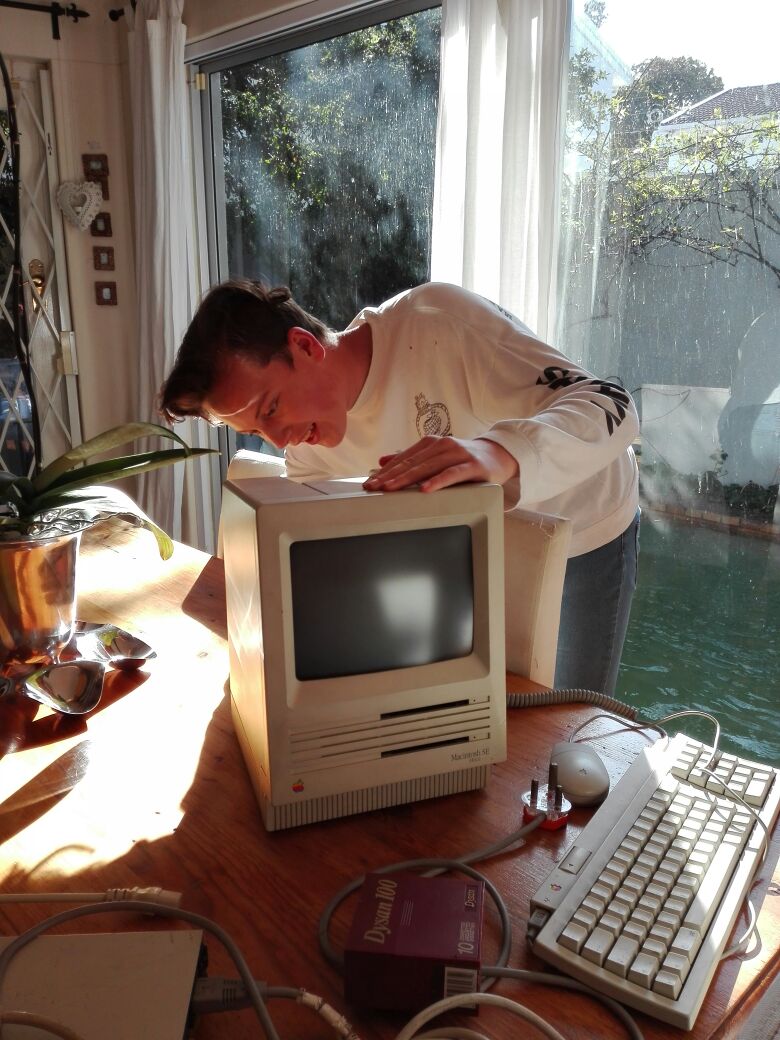 |
2018-04-11: The SE FDHD went off to live with Nicolas |
2021-04-01: The M0001P went to live with Shaun. He also got an LC without a PSU (this is how I got it),
a non-working IIci, and a 12" RGB display.
Hardware information
Mac Plus
While the original Macintosh had 128k RAM, the motherboard design
(see
schematic) allowed for 512k.
Upgrading the 512k "Fat Mac" needed a redesigned
motherboard. This was the "Plus", with 1MB on
the motherboard, which could be expanded to 4MB
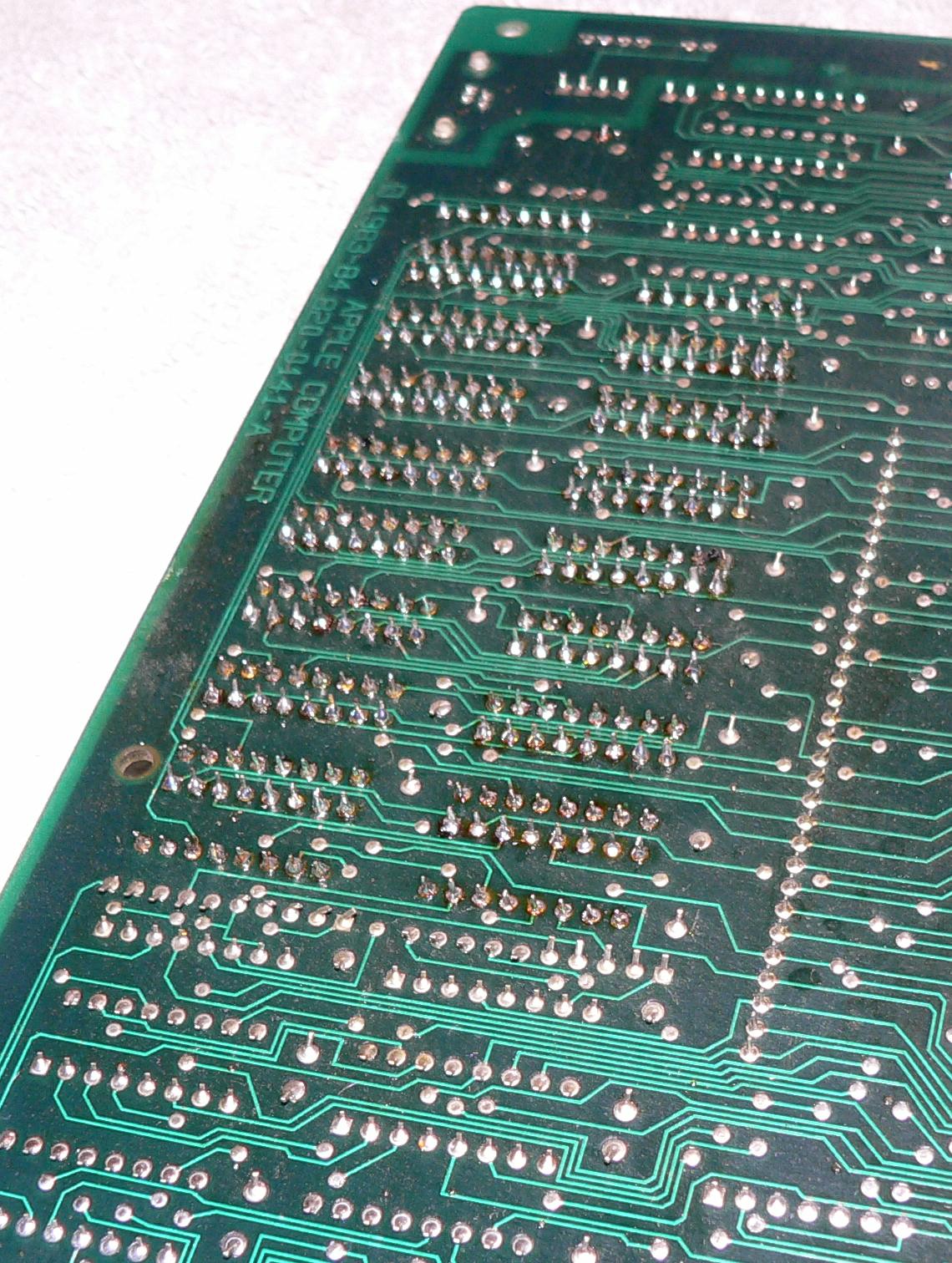
(Scans of PCBs).
The original 512k design and the Plus makes extensive use
of PAL technology. See
http://www.mactech.com/articles/mactech/Vol.01/01.11/PAL/.
Kryten Droid (http://homepage.ntlworld.com/kryten_droid/)
has had some info on what's inside the PALs. Fortunately
I have a backup.
512K MAC:

ASG  16R8 Disk speed control, sound generator.
BMU0 16R4 Ram control (read, write, DTACK)
BMU1 16L8 Address decoding
LAG  16R8 Video generator
TSG  16R6 Divide by 2, divide by 4.25.
TSM  16R4 Generates RAS and CAS for DRAM

Mac Plus:

ASG  16R8 341-0517-A
BMU1 16L8 341-0514-A
BMU2 20R4 341-0520-A
CAS  20L8 341-0519-A
LAG  16R8 341-0515-A
TSG  16R6 341-0516-A
TSM  16R4 341-0522-A
Datasheets at Texas Instruments:
16L8,
16R4, 16R6, 16R8,
20L8,
20R4, 20R6, 20R8.
Reverse Engineering / trying to understand the PALs.
Apple notes that
two-chip 1MB SIMMs are not supported.
This is mostly true, in reality the video cycle only
refreshes
512 rows and most two-chip 1MB SIMMs apparently need 1024-row refresh cycles.
ROMs in my Plus are 342-0341-C (hi) and 342-0342-B (lo). Read
these using the settings for 27C512.
Classic
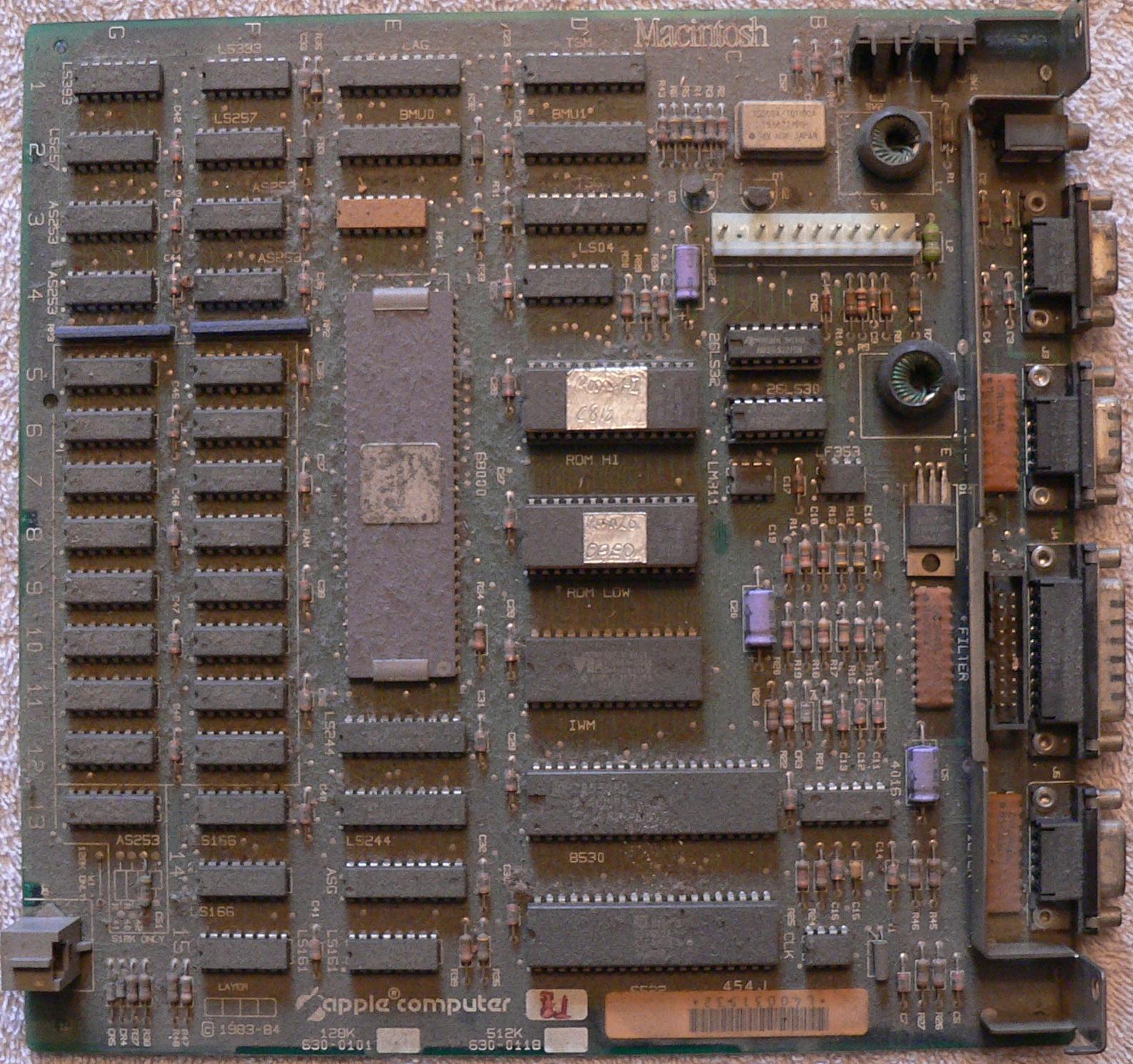
The Classic is a Plus using surface-mount technology on a
smaller (half the size) motherboard
(Scans of PCBs).
The six PALs are replaced
by a gate array from VLSI (UI4, BBU) and one PAL (UL1, CAS PAL).
A fan was added, presumably because of the extra heat from
the internal hard drive.
The ROM is a 40 pin 16 bit device from Sharp. The Apple part
number for the ROM in my Classic is 341-0813. The pinout matches
the
Amiga ROM, which is a
Macronix MX23C4100.
If you want to read your ROM using a programmer, use the
settings for the 27C400.
The two motherboards I have are 820-0390-03 (1990, Assembled in Thailand)
and 820-0390-B (1990, 1991, Assembled in Ireland).
The only differences I can spot are in the silkscreen. The
same components are used in the same places and as far as I
can see the board was not rerouted -- all the tracks are
identical.
Recapping: C3 is 1u 50V, the rest are all 47u 16V.
Quadra 650
I got this from a fellow who moved to the UK, back in 2007 . Worked just fine.
It went to live with Torbjørn in August 2020.
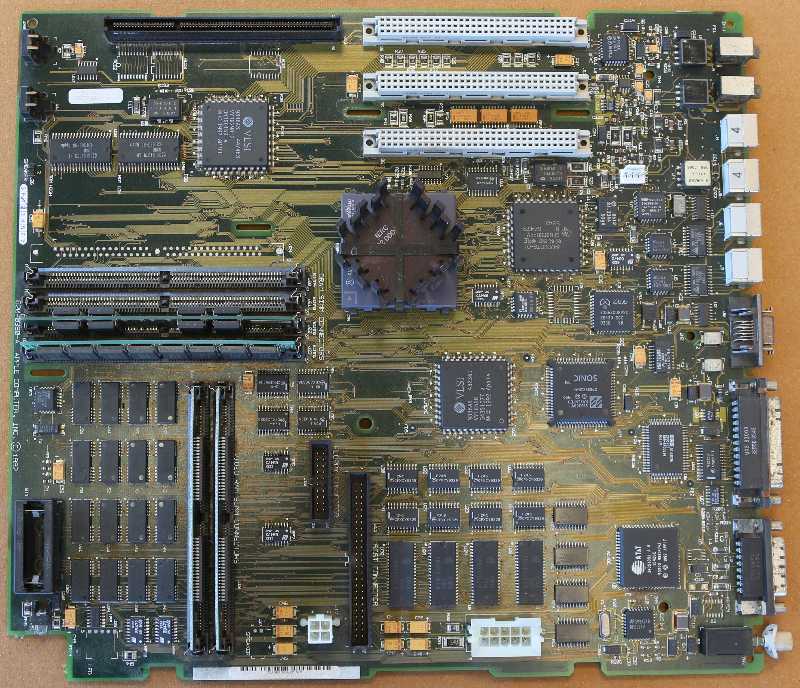
First called the Centris 650 which had a 25MHz 68LC040, the 33MHz Quadra 650 comes with 8 megs of RAM and 512k Video RAM (VRAM)
on the motherboard.
(Macintosh Quadra 650: Technical Specifications)
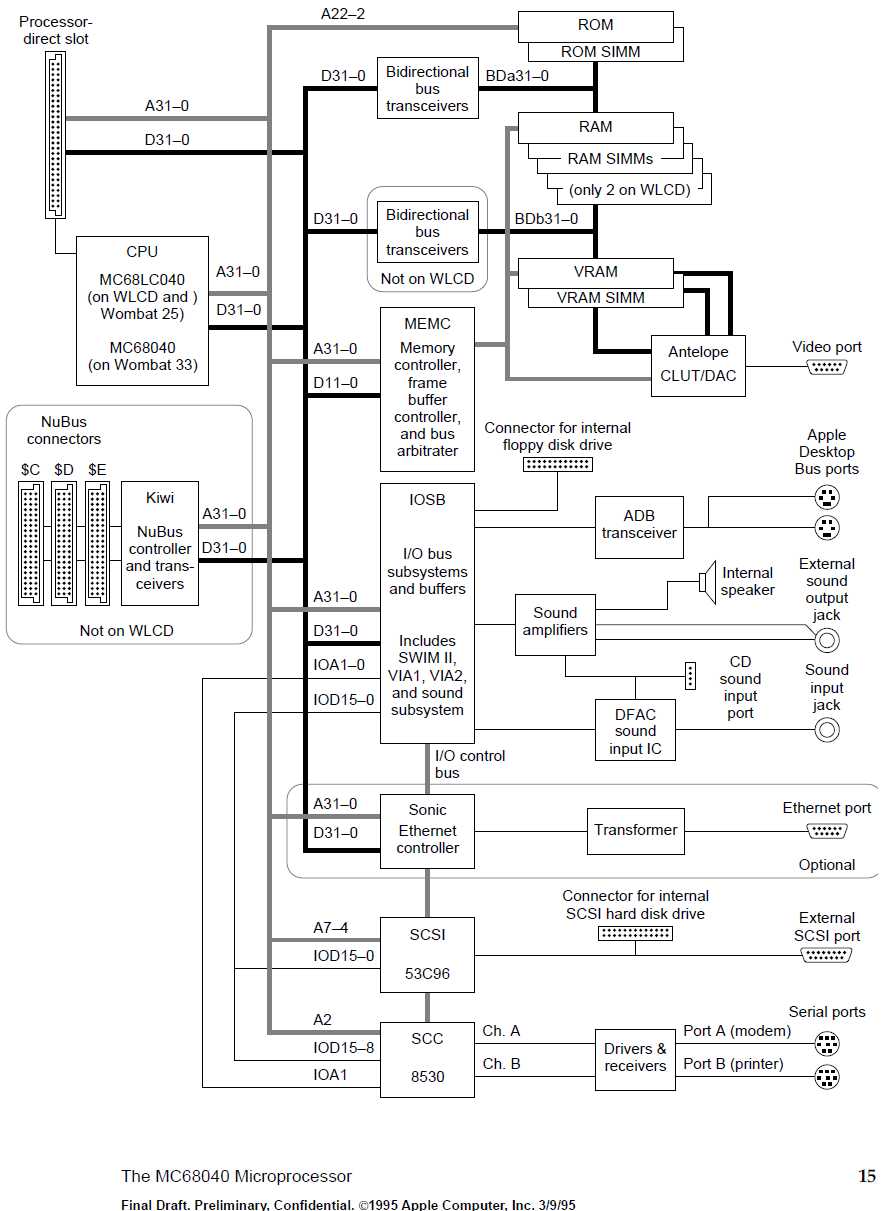
Here's a block diagram from the Centris / Quadra Developer Note.
Note the "Wombat" amd "WLCD" code names.
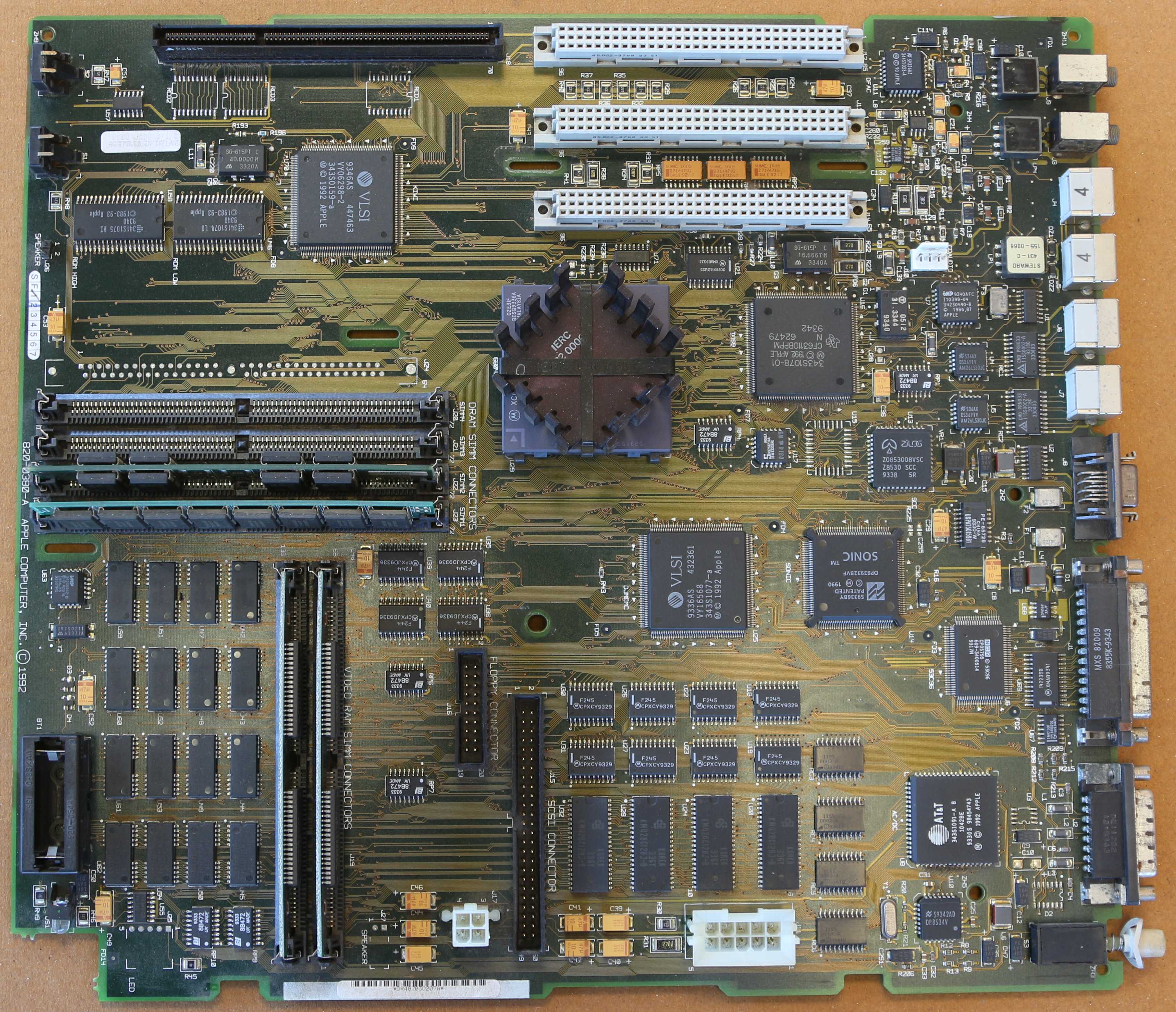
Referring to the picture of the motherboard above (open it in a new window), at the top left is the Processor Direct Slot (PDS).
Below that the two ROMs (The Quadra 650 has no provision for ROM on a SIMM) and the KIWI Nubus Controller. To the right of that,
the three NuBus connectors.
The big chip with the heatsink is the 68040, to the left of it, four RAM SIMM slots, to the right, the IOSB (includes the SWIM II
Floppy Controller, VIA serial controllers and presumably more).
The bottom left corner is dominated by the on-board RAM, but the RTC is also there (U63). The two vertical SIMMs are video RAM, The two
big chips below the 68040 are the djMEMC which seems unique to the Centris/Quadra 610/650/800 and the SONIC Ethernet Controller. There's
also a 53C96 SCSI Controller and the Antelope (says "AC/DC" on the PCB but
it's marked 984S4743).
Software
Hacking
Links